Apunkagames Official Site – Games Download For PC Apunkagames Official Site — Discover detailed PC game guides, accurate system requirements, screenshots, and verified official download links for top Windows games.
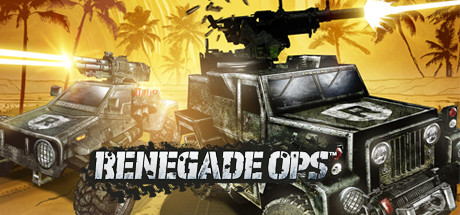
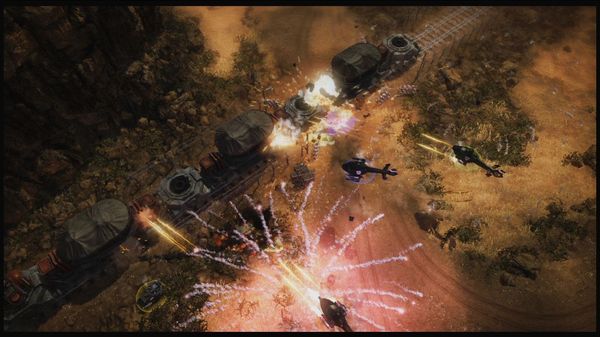
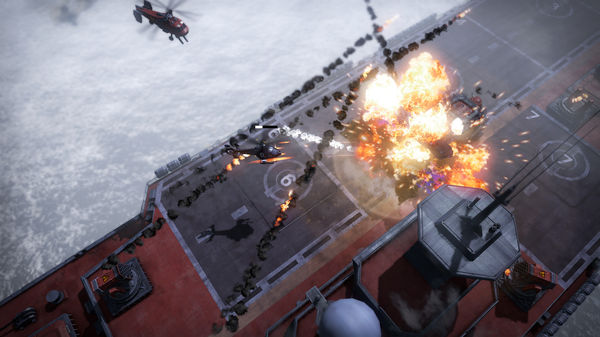
Renegade Ops is a top-down, isometric vehicular shooter developed by Avalanche Studios and published by SEGA. Released in 2011, the game delivers an action-packed arcade experience where players take control of various heavily armed vehicles to crush a madman named Inferno, who is threatening world domination. The game is highly praised for its fast-paced combat, destructible environments, and vibrant, explosive visuals that pay homage to classic action movies and retro shoot-’em-ups.
Players can choose from a roster of four distinct characters, each driving a unique vehicle equipped with a specialized ultimate ability, such as a localized electromagnetic pulse (EMP) or a defensive energy shield. As you tear through hordes of enemies across sprawling maps, you earn experience points to upgrade your vehicle’s offensive and defensive capabilities through a dedicated skill tree. The gameplay heavily encourages fast movement and high-scoring multipliers to keep the adrenaline pumping.
The game shines brightest in its multiplayer modes, offering support for up to two players in local split-screen co-op and up to four players in online matches. Teamwork becomes essential as players combine their unique abilities to tackle large waves of enemies and giant boss vehicles. Overall, it remains a chaotic, satisfying choice for fans of classic twin-stick shooters looking for pure, unadulterated destruction.
Before downloading make sure that your PC meets minimum system requirements
Minimum System Requirements
- OS: Windows Vista / 7 / 10
- Processor: Intel CoreR 2 Duo 2.6 GHz
- Memory: 2GB System memory
- Graphics: DX10.1 compatible graphics card with 256 MB memory
- DirectX: Microsoft DirectX 10.1
- Hard Drive: 10 GB available space
Screenshots
How to Install Renegade Ops?
- Download: Get the installer only from the official developer or a verified store.
- Run Setup: Double-click the official .exe file and follow the prompts.
- Default Path: Install to the recommended folder to ensure proper system permissions.
- Update: Run the game launcher to download any official security patches.
- Launch: Open the game via the official desktop shortcut.