Apunkagames Official Site – Games Download For PC Apunkagames Official Site — Discover detailed PC game guides, accurate system requirements, screenshots, and verified official download links for top Windows games.
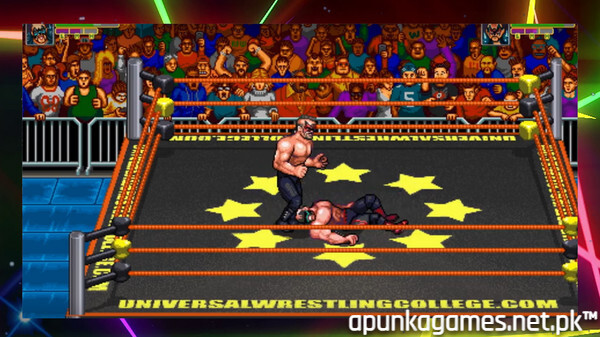
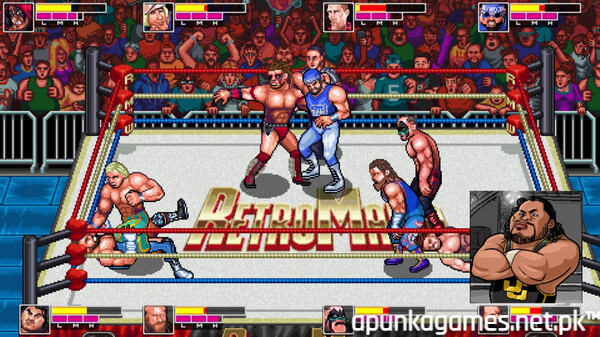
RetroMania Wrestling is a fast-paced, “pick-up-and-play” arcade wrestling game developed and published by Retrosoft Studios. Released on February 25, 2021, the title serves as an official spiritual successor to the classic 1991 arcade hit WWF WrestleFest. It embraces a beautiful 2D pixel art style featuring over 1,000 frames of custom animation, complete with dynamic ring entrances, full nameplates, and dedicated entrance themes.
The game features 17 licensed, playable wrestlers spanning multiple generations, highlighting legendary talent from historic promotions like the National Wrestling Alliance (NWA) and House of Hardcore. Players can battle across 20 uniquely detailed arenas in several iconic match types, including standard 1-on-1 matches, multi-man tag team matches, steel cage matches, and over-the-top battle royals.
RetroMania includes three distinct game modes: a branching Story Mode, the 10 Pounds of Gold championship tournament, and local couch multiplayer supporting up to eight players. The tactical gameplay relies heavily on a precise, timing-based grappling system rather than frantic button-mashing, making it easy to learn but challenging to master. Backed by responsive crowd chants and live broadcast commentary from Ian Riccaboni and Colt Cabana, the title effortlessly captures an authentic 1990s wrestling atmosphere with modern indie polish.
Before downloading make sure that your PC meets minimum system requirements
Minimum System Requirements
- OS: Windows 10 / 11
- Processor: Intel or AMD Dual Core CPU
- Memory: 2 GB RAM
- Graphics: Intel HD Graphics or AMD
- Storage: 500 MB available space
Screenshots
How to Install RetroMania Wrestling?
- Download: Get the installer only from the official developer or a verified store.
- Run Setup: Double-click the official .exe file and follow the prompts.
- Default Path: Install to the recommended folder to ensure proper system permissions.
- Update: Run the game launcher to download any official security patches.
- Launch: Open the game via the official desktop shortcut.