Apunkagames Official Site – Games Download For PC Apunkagames Official Site — Discover detailed PC game guides, accurate system requirements, screenshots, and verified official download links for top Windows games.
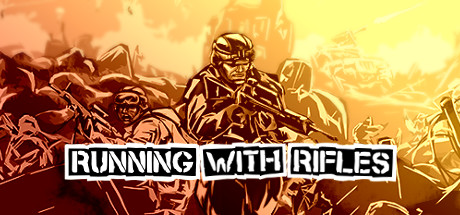
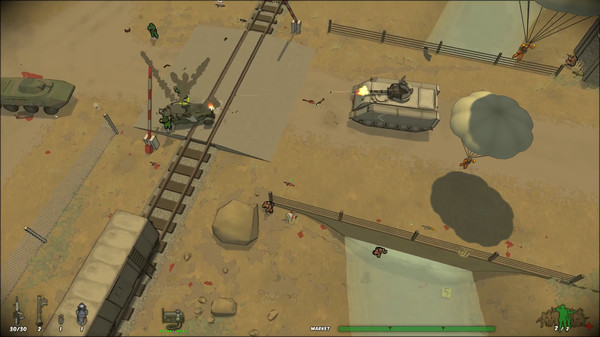
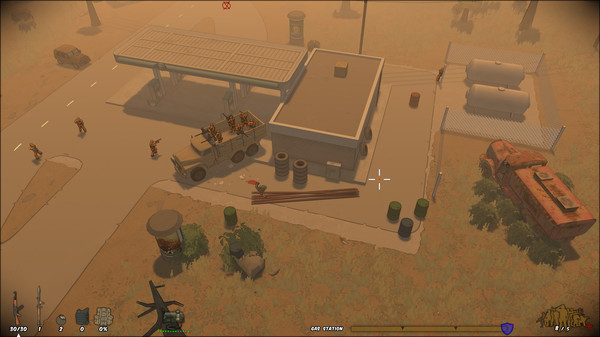
Running with Rifles is a tactical, top-down open-world shooter that drops players into the boots of a common soldier fighting in a massive, persistent war. Unlike typical power-fantasy shooters, you are not a superhero; a single well-placed bullet can instantly end your life. The gameplay blends intense tactical shootouts with real-time strategy elements, forcing players to rely on squad coordination, cover mechanics, and intelligent flanking maneuvers rather than mindless rushing to survive the chaotic, large-scale battlefields.
As you fight alongside dozens of AI allies, your successes earn you experience and rank. Advancing through the ranks unlocks command over your own AI squad, advanced weaponry, and the ability to call in critical tactical support like artillery strikes, paratrooper drops, and combat vehicles. The dynamic frontline shifts realistically across massive maps, offering sandbox-style freedom where you can choose exactly how to approach objectives, capture enemy territory, and turn the tide of the war.
The game shines in both its expansive single-player campaign and its robust multiplayer options, which include intense co-op modes and competitive player-versus-player servers. Its high moddability has also sustained a passionate community, allowing for entirely new factions, weapons, and custom maps. It stands out as an addictive, highly replayable mix of micro-level tactical combat and macro-level war simulation that rewards patience, positioning, and teamwork.
Before downloading make sure that your PC meets minimum system requirements
Minimum System Requirements
- OS: Windows XP / 7 /8 / 10
- Processor: 1.6 GHz Dual Core
- Memory: 2 GB RAM
- Graphics: NVidia Geforce 6600, ATI x800
- DirectX: Version 9.0c
- Storage: 2 GB available space
Screenshots
How to Install Running with Rifles?
- Download: Get the installer only from the official developer or a verified store.
- Run Setup: Double-click the official .exe file and follow the prompts.
- Default Path: Install to the recommended folder to ensure proper system permissions.
- Update: Run the game launcher to download any official security patches.
- Launch: Open the game via the official desktop shortcut.