Apunkagames Official Site – Games Download For PC Apunkagames Official Site — Discover detailed PC game guides, accurate system requirements, screenshots, and verified official download links for top Windows games.
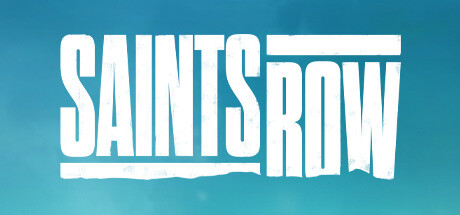
Saints Row is an action-packed, open-world crime sandbox released in 2022 that serves as a complete reboot of the iconic, over-the-top franchise. Developed by Volition, the narrative takes players to Santo Ileso, a vibrant fictional city in the American Southwest. You step into the shoes of the customizable “Boss,” who, along with a tight-knit crew of ambitious friends, decides to break away from rival factions and build a brand-new criminal empire from the ground up.
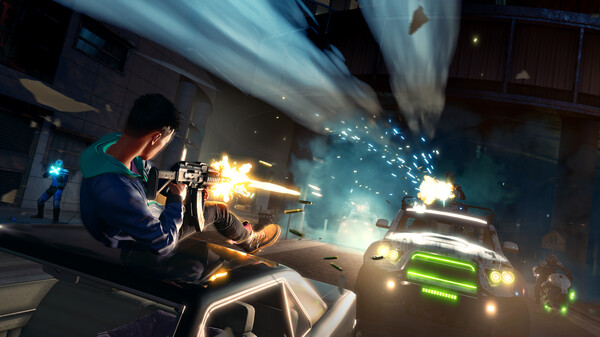
For PC players, the gameplay delivers chaotic third-person combat and high-velocity driving. The core mechanics center around the Criminal Ventures feature, which allows you to buy up properties across the city to front illegal businesses, unlocking unique missions, income streams, and vehicle options. The game offers massive customization systems for your character’s appearance, clothing, weapons, and entire vehicle fleet, alongside a fluid drop-in/drop-out co-op mode to tear up the streets with a friend.
Visually, the game engine brings the sprawling desert landscapes, neon-lit neon strips, and urban districts to life with dynamic day-night cycles and extensive particle effects during explosive firefights. The digital package requires 50 GB of available storage space on your hard drive or solid-state drive (SSD) to begin your criminal takeover.
Before downloading make sure that your PC meets minimum system requirements
Minimum System Requirements
- OS: Windows 10 64bit
- Processor: Intel Core i3-3240 / Ryzen 3 1200
- Memory: 8192 MB RAM
- Graphics: GeForce GTX 970 / AMD Radeon RX 480
- DirectX: Version 11
- Storage: 50 GB available space
Screenshots

How to Install Saints Row?
- Download: Get the installer only from the official developer or a verified store.
- Run Setup: Double-click the official .exe file and follow the prompts.
- Default Path: Install to the recommended folder to ensure proper system permissions.
- Update: Run the game launcher to download any official security patches.
- Launch: Open the game via the official desktop shortcut.