Apunkagames Official Site – Games Download For PC Apunkagames Official Site — Discover detailed PC game guides, accurate system requirements, screenshots, and verified official download links for top Windows games.
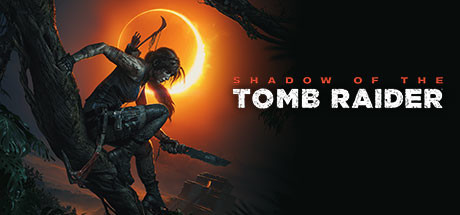
Shadow of the Tomb Raider is a cinematic, action-adventure masterpiece released in 2018 that serves as the thrilling conclusion to Lara Croft’s definitive origin trilogy. Developed by Eidos-Montréal and published by Square Enix, the narrative follows Lara as she travels through the treacherous jungles of South America to race against the shadow organization Trinity. After inadvertently triggering a catastrophic Mayan apocalypse, Lara must conquer deadly environments to save the world and ultimately forge her destiny as the titular Tomb Raider.
For PC players, the gameplay delivers a profound emphasis on survival, stealth, and exploration. The mechanics shift heavily toward jungle guerrilla warfare, allowing Lara to cover herself in mud to camouflage with the environment, strike from the shadows, and use fear to dismantle enemy squads. The title features the largest hub area in the franchise, alongside terrifying, trap-filled challenge tombs that require intricate physics-based puzzle-solving and deadly underwater exploration.
Visually, the game utilizes a highly advanced engine that showcases dense, hyper-detailed rainforests, dynamic mud physics, and striking lighting effects. It was a pioneer in implementing ray-traced shadows and DLSS support on PC. The complete digital installation requires 40 GB of available storage space on your hard drive or solid-state drive (SSD) to deploy.
Before downloading make sure that your PC meets minimum system requirements
Minimum System Requirements
- OS: Windows 7 64 bit
- Processor: i3-3220 INTEL or AMD Equivalent
- Memory: 8 GB RAM
- Graphics: Nvidia GTX 660/GTX 1050
- DirectX: Version 11
- Storage: 40 GB available space
Screenshots
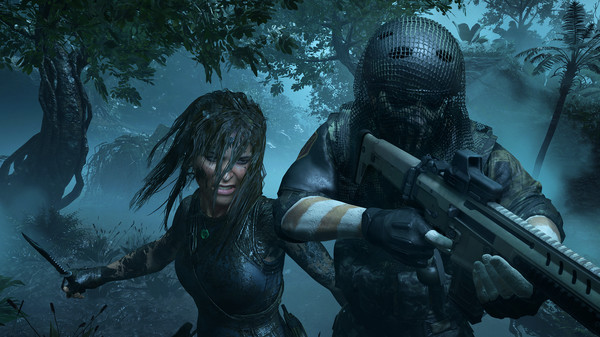
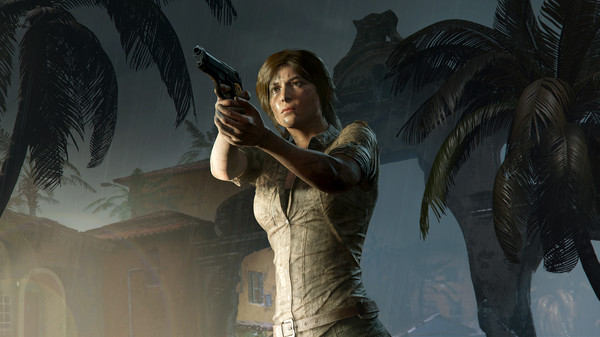
How to Install Shadow of the Tomb Raider?
- Download: Get the installer only from the official developer or a verified store.
- Run Setup: Double-click the official .exe file and follow the prompts.
- Default Path: Install to the recommended folder to ensure proper system permissions.
- Update: Run the game launcher to download any official security patches.
- Launch: Open the game via the official desktop shortcut.