Apunkagames Official Site – Games Download For PC Apunkagames Official Site — Discover detailed PC game guides, accurate system requirements, screenshots, and verified official download links for top Windows games.

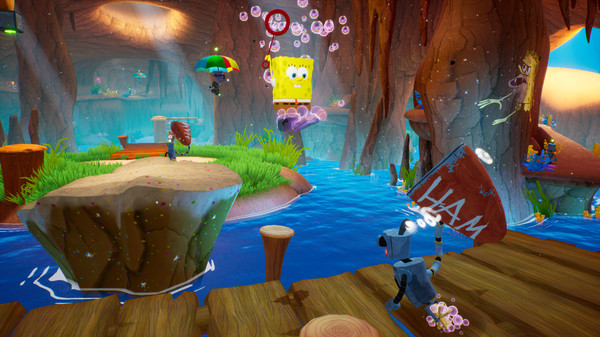
SpongeBob SquarePants Battle for Bikini Bottom is a lovingly crafted remake of the 2003 cult-classic 3D platformer. You step into the squishy shoes of SpongeBob, Patrick, and Sandy on a mission to save Bikini Bottom from an army of rampant robots unleashed by the ever-scheming Plankton. The developers completely rebuilt the game from the ground up with vibrant visuals and polished controls, while staying incredibly faithful to the nostalgic charm and level design of the original release.
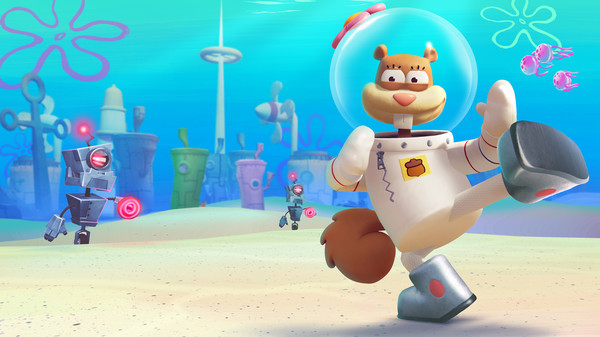
The gameplay loop is a pure, old-school collect-a-thon where you explore iconic locations like Jellyfish Fields and Goo Lagoon. Each character brings unique abilities to the table to help you solve environmental puzzles and defeat enemies. SpongeBob can bungee jump using his underwear, Patrick has the brute strength to pick up and throw heavy objects, and Sandy can glide across massive gaps with her lasso. Swapping between them is essential to track down every last Golden Spatula hidden across the map.
Beyond the visual overhaul, this modern edition restores fresh content that was cut from the original game, including a massive boss fight against a robotic Squidward. It also introduces a new, wave-based multiplayer horde mode where two players can team up to smash robotic enemies. Whether revisiting a childhood favorite or experiencing the chaotic platforming for the first time, it stands as a fantastic love letter to one of the greatest licensed cartoon games ever made.
Before downloading make sure that your PC meets minimum system requirements
Minimum System Requirements
- OS: Windows 10 (64bit)
- Processor: AMD / Intel CPU running at 2.8 GHz
- Memory: 4 GB RAM
- Graphics: NVIDIA GeForce GTX 760
- DirectX: Version 11
- Storage: 8 GB available space
Screenshots
How to Install?
- Download: Get the installer only from the official developer or a verified store.
- Run Setup: Double-click the official .exe file and follow the prompts.
- Default Path: Install to the recommended folder to ensure proper system permissions.
- Update: Run the game launcher to download any official security patches.
- Launch: Open the game via the official desktop shortcut.