Apunkagames Official Site – Games Download For PC Apunkagames Official Site — Discover detailed PC game guides, accurate system requirements, screenshots, and verified official download links for top Windows games.

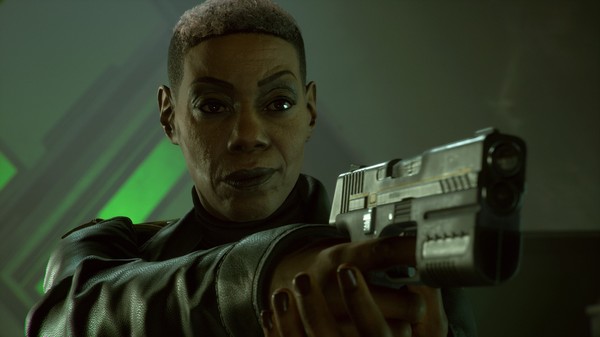
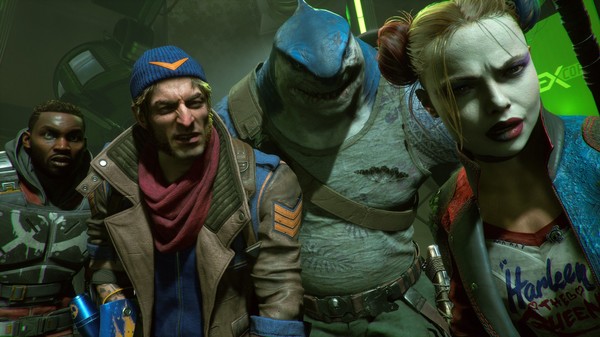
Suicide Squad Kill the Justice League is a high-octane, genre-blending action-adventure shooter released in 2024. Developed by Rocksteady Studios, the narrative unfolds in the Arkhamverse, where a brainwashed Justice League has turned against Earth under the mental control of the alien invader Brainiac. Amanda Waller deploys Task Force X—featuring Harley Quinn, Deadshot, Captain Boomerang, and King Shark—into a war-torn Metropolis with a seemingly impossible directive: assassinate the world’s greatest superheroes.
For PC players, the game discards the gritty, close-quarters melee combat of the Arkham trilogy in favor of a fast-paced, vertical looter-shooter mechanics loop. Each character possesses distinct, traversal-focused combat capabilities, utilizing jetpacks, grapple guns, speed-force gauntlets, and raw physical leaps to chain explosive gunplay while airborne. The core progression revolves around completing high-chaos missions to acquire randomized weapons, gear modifications, and synergistic loadout sets designed by legendary DC manufacturers.
Visually, the game leverages advanced technical features, delivering expansive draw distances across a beautifully vertical Metropolis, alongside incredibly detailed facial animations. The PC port features robust customization options, including unlocked framerates, ray tracing, and ultra-wide monitor support, requiring 65 GB of available storage space on an SSD to deploy into battle.
Before downloading make sure that your PC meets minimum system requirements
Minimum System Requirements
- OS: Windows 10 / 11 (64 bit)
- Processor: Intel i5-8400 or AMD Ryzen 5 1600 3.20 GHz
- Graphics: NVIDIA GTX 1070 or AMD Radeon RX Vega 56
- DirectX: Version 12
- Storage: 65 GB available space
Screenshots
How to Install?
- Download: Get the installer only from the official developer or a verified store.
- Run Setup: Double-click the official .exe file and follow the prompts.
- Default Path: Install to the recommended folder to ensure proper system permissions.
- Update: Run the game launcher to download any official security patches.
- Launch: Open the game via the official desktop shortcut.