Apunkagames Official Site – Games Download For PC Apunkagames Official Site — Discover detailed PC game guides, accurate system requirements, screenshots, and verified official download links for top Windows games.
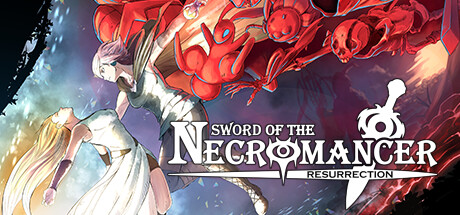
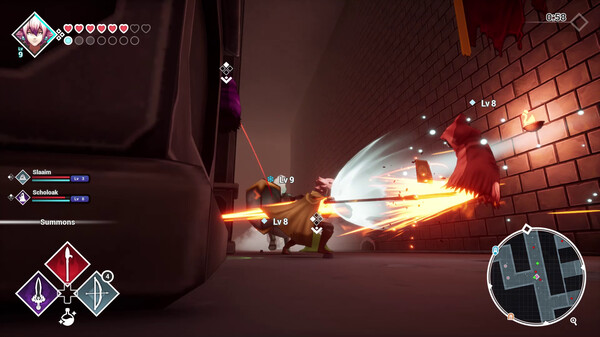
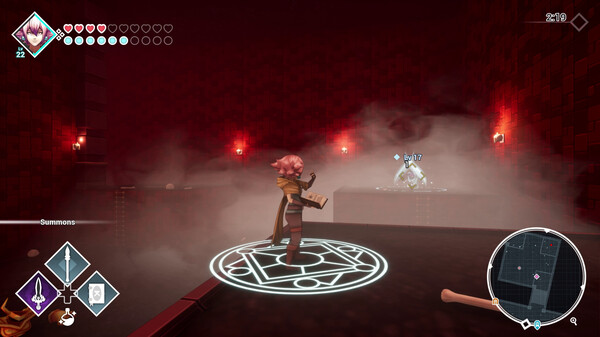
Sword of the Necromancer Resurrection is a 3D remake of the original action role-playing game (ARPG) developed by Grimorio of Games. The story follows a former bandit named Tama on a dark fantasy quest to save her beloved Koko from the dead. To accomplish this, Tama must descend into the dangerous depths of a cryptic dungeon to harness the forbidden powers of the legendary Sword of the Necromancer.
The gameplay is defined by a unique monster recruitment system that allows you to resurrect defeated enemies and turn them into your own allies. This remake completely revamps the experience by transitioning the game into 3D, bringing fluid combat, enhanced animations, and a visual aesthetic inspired by the classic sixth-generation console era. Players can even customize their summons using a tactical programming system to set behavior priorities for their resurrected creatures during battle.
In addition to procedural generation that keeps every dungeon run unpredictable, the game offers heavy replayability through an optional roguelite mode and unique challenge variations. Players can tackle the grueling trials alone to hoard experience points or share the intense journey with a friend via local couch co-op. Complete with remastered music and expanded narrative cutscenes, it offers a deep, nostalgic, and strategic dungeon-crawling experience.
Before downloading make sure that your PC meets minimum system requirements
Minimum System Requirements
- OS: Windows 10 / 11
- Processor: AMD FX-6100/Intel i3-3220
- Memory: 8 GB RAM
- Graphics: AMD Radeon HD 7750, NVIDIA GeForce GTX 650
- DirectX: Version 10
- Storage: 4 GB available space
Screenshots
How to Install?
- Download: Get the installer only from the official developer or a verified store.
- Run Setup: Double-click the official .exe file and follow the prompts.
- Default Path: Install to the recommended folder to ensure proper system permissions.
- Update: Run the game launcher to download any official security patches.
- Launch: Open the game via the official desktop shortcut.