Apunkagames Official Site – Games Download For PC Apunkagames Official Site — Discover detailed PC game guides, accurate system requirements, screenshots, and verified official download links for top Windows games.
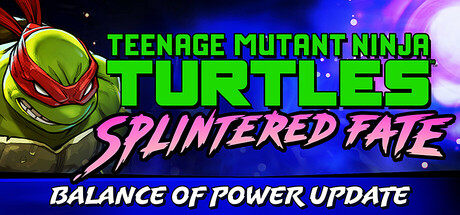
Teenage Mutant Ninja Turtles Splintered Fate is an action-packed, isometric roguelike adventure developed by Super Evil Megacorp. Available on Steam, the game drops players into a fast-paced quest across New York City to rescue Master Splinter, who has been kidnapped by the sinister Foot Clan. Mystical portals have begun appearing throughout the city, and the heroic brothers must fight their way through hordes of enemies to uncover a dark threat lingering in the shadows.
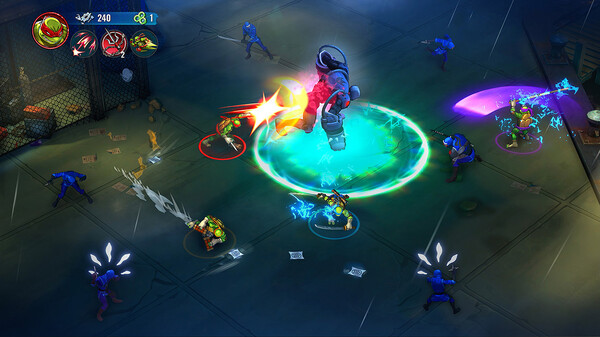
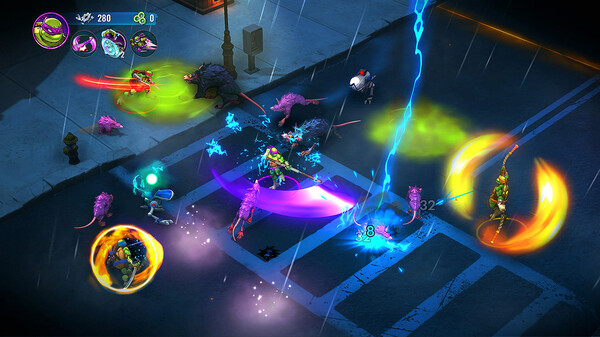
The gameplay focuses on a high-intensity “fight, adapt, repeat” loop where no two runs are identical. Players can control Leonardo, Raphael, Donatello, or Michelangelo, each sporting completely unique combat styles and special abilities. As you advance through randomized room layouts, you collect elemental power-ups—ranging from fire and water to ooze and robotics—to create highly customized ninja builds. The game also introduces a fast-paced Arcade Mode packed with unpredictable biomes and dangerous Wraith enemies for an extra challenge.
Designed with versatility in mind, the title fully supports both single-player and cooperative gameplay. You can team up with friends through online co-op, local shared screen play, or cross-platform multiplayer to combine powers and execute devastating team attacks. With full controller support and a heavy focus on replayability, it delivers an engaging, modern beat-’em-up experience for TMNT fans worldwide.
Before downloading make sure that your PC meets minimum system requirements
Minimum System Requirements
- OS: Windows 10 / 11 64-bit
- Processor: Dual Core 2.4 GHz
- Memory: 4 GB RAM
- Graphics: GeForce GTX 950, Radeon R7 360
- DirectX: Version 12
- Storage: 5 GB available space
Screenshots
How to Install?
- Download: Get the installer only from the official developer or a verified store.
- Run Setup: Double-click the official .exe file and follow the prompts.
- Default Path: Install to the recommended folder to ensure proper system permissions.
- Update: Run the game launcher to download any official security patches.
- Launch: Open the game via the official desktop shortcut.