Apunkagames Official Site – Games Download For PC Apunkagames Official Site — Discover detailed PC game guides, accurate system requirements, screenshots, and verified official download links for top Windows games.
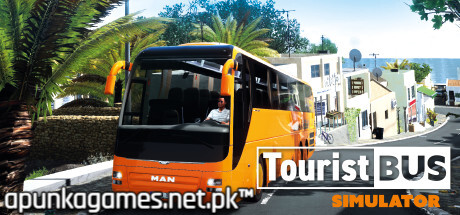
Tourist Bus Simulator is a highly detailed fleet management and driving simulation game released in 2018 that lets you build your own passenger transport empire. Developed by TML-Studios and published by Aerosoft, the game is set on the completely recreated, sun-drenched island of Fuerteventura. You aren’t just a driver shifting gears; you are the business owner managing logistics, employee schedules, vehicle maintenance, and financial planning across a massive holiday destination.
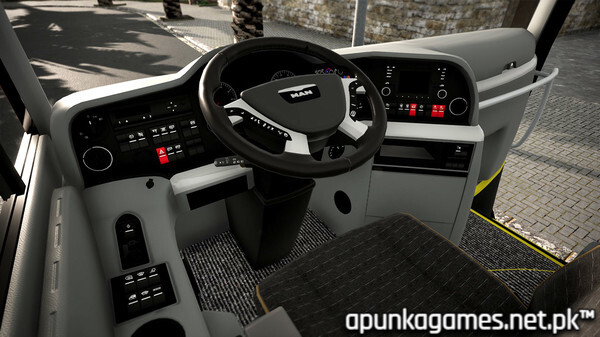
For PC players, the game delivers a deep, dual-layered gameplay loop. On the asphalt, you get behind the wheel of authentic, licensed MAN ComfortClass buses to navigate tight coastal roads, dusty off-road tracks, and busy hotel routes to shuttle tourists safely. Off the road, you must micro-manage your company by hiring drivers, maintaining a complex parts inventory, optimizing route schedules, and upgrading your corporate headquarters.
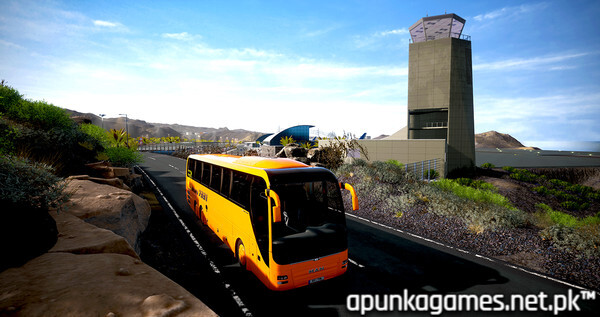
Visually, the game engine beautifully captures the unique terrain and specific landmarks of the Canary Islands, complete with a dynamic day-night cycle and shifting weather conditions. The PC version features deep controller and steering wheel support alongside detailed graphic options. The total digital package requires 25 GB of available storage space on your hard drive or solid-state drive (SSD) to begin your tourism venture.
Before downloading make sure that your PC meets minimum system requirements
Minimum System Requirements
- OS: 7/8/8.1/10 (only 64bit)
- Processor: Intel Core i5 Quad Core Processor
- Memory: 6 GB RAM
- Graphics: Nvidia GeForce GTX 660 or similar AMD Radeon
- DirectX: Version 11
- Storage: 25 GB available space
Screenshots
How to Install Tourist Bus Simulator?
- Download: Get the installer only from the official developer or a verified store.
- Run Setup: Double-click the official .exe file and follow the prompts.
- Default Path: Install to the recommended folder to ensure proper system permissions.
- Update: Run the game launcher to download any official security patches.
- Launch: Open the game via the official desktop shortcut.