Apunkagames Official Site – Games Download For PC Apunkagames Official Site — Discover detailed PC game guides, accurate system requirements, screenshots, and verified official download links for top Windows games.
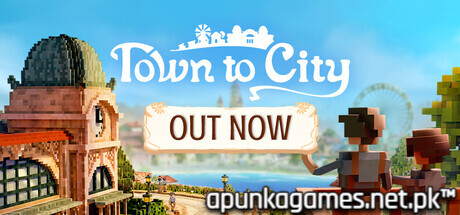
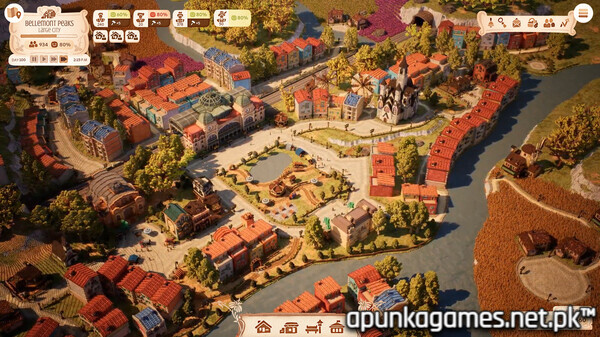
Town to City is a cozy, grid-less city builder developed by Galaxy Grove and published by Kwalee. Released into 1.0, the game sets itself apart by discarding rigid structural grids, allowing players to design idyllic 19th-century Mediterranean settlements with absolute creative freedom. Winding streets, organic neighborhoods, and meticulously placed public squares form the backbone of your growing territory.
The gameplay smoothly balances low-stakes, relaxing decoration with light management mechanics. Players cater to a evolving population—ranging from working-class laborers to the wealthy bourgeoisie—by fulfilling specific citizen requests, managing pets, and overseeing livestock. Beyond a singular settlement, the core strategy involves expanding across the region to build multiple specialized towns linked together via complex agricultural and tourism trade routes.
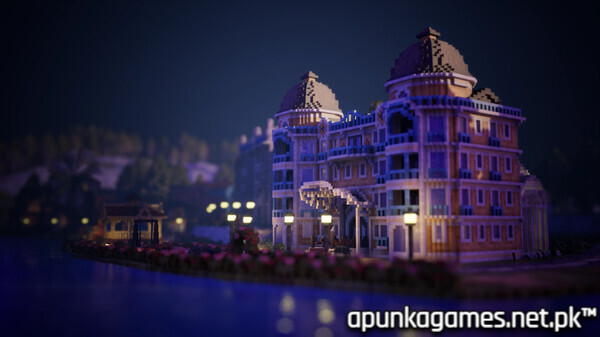
Visually, the game utilizes a colorful, highly detailed voxel art style complemented by a peaceful soundtrack. It features full campaign and sandbox modes, detailed terraforming tools, and a first-person mode to walk among your citizens. To run this charming builder, PCs require a minimum of an Intel Core i5-10600K or AMD Ryzen 5 3600X processor, 8 GB of RAM, an Nvidia GTX 960 or Radeon RX 570 graphics card, and 3 GB of available storage space.
Before downloading make sure that your PC meets minimum system requirements
Minimum System Requirements
- OS: Windows 10 / 11 64-bit
- Processor: Intel Core i5-10600K / AMD Ryzen 5 3600X
- Memory: 8 GB RAM
- Graphics: Nvidia GeForce GTX 960 / AMD Radeon RX 570
- DirectX: Version 12
- Storage: 3 GB available space
Screenshots
How to Install Town to City?
- Download: Get the installer only from the official developer or a verified store.
- Run Setup: Double-click the official .exe file and follow the prompts.
- Default Path: Install to the recommended folder to ensure proper system permissions.
- Update: Run the game launcher to download any official security patches.
- Launch: Open the game via the official desktop shortcut.