Apunkagames Official Site – Games Download For PC Apunkagames Official Site — Discover detailed PC game guides, accurate system requirements, screenshots, and verified official download links for top Windows games.
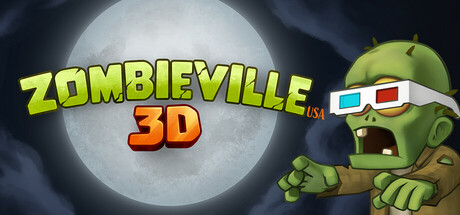
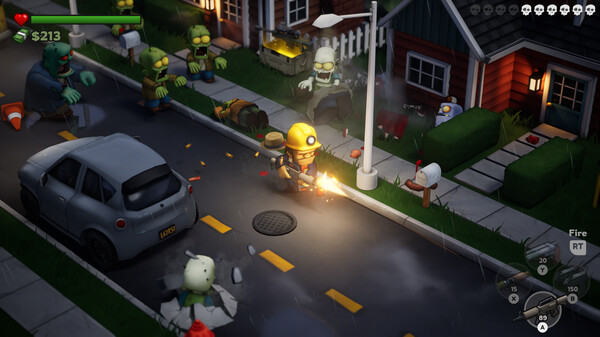
Zombieville USA 3D is a stylized arcade shooter developed and published by Mika Mobile, Inc. Released on March 7, 2025, the game brings the classic action of its long-running mobile predecessors into a vibrant, polished 3D environment. Players find themselves navigating the bleak, cartoonish hellscape of suburbia while battling against an endlessly scaling, relentless undead horde. The title successfully combines retro top-down shooter mechanics with modern visuals, offering a light-hearted yet fast-paced action romp that rewards quick reflexes and strong survival instincts.
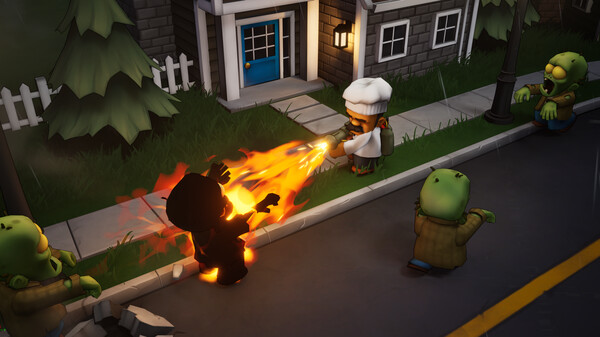
The core gameplay loops focus heavily on customization, scavenging, and unpredictability. Players have access to a massive arsenal of 39 unlockable weapons—ranging from traditional machine guns, shotguns, and chainsaws to heavy-duty rockets, flamethrowers, and katanas. To further adapt to the escalating chaos, you can level up and activate 28 distinct perks that tailor your character to a specific playstyle, whether that means specializing in explosives or melee combat. Randomly generated weapon traits ensure that survival runs remain unpredictable.
Designed with a focus on high replayability and social fun, the game supports solo play as well as online co-op for up to three players. While its lighthearted art style features humorous character designs, the threat of being overwhelmed remains intense as the difficulty scales infinitely. Zombieville USA 3D offers full controller support and Steam achievements, making it a highly accessible and addictive indie shooter for both veterans of the classic franchise and new players alike.
Before downloading make sure that your PC meets minimum system requirements
Minimum System Requirements
- OS: Windows 10/11
- Processor: Ryzen 5 1600 or Core i5-7500
- Memory: 8 GB RAM
- Graphics: GTX 1060 or equivalent
- DirectX: Version 11
- Storage: 3 GB available space
Screenshots
How to Install Zombieville USA 3D?
- Download: Get the installer only from the official developer or a verified store.
- Run Setup: Double-click the official .exe file and follow the prompts.
- Default Path: Install to the recommended folder to ensure proper system permissions.
- Update: Run the game launcher to download any official security patches.
- Launch: Open the game via the official desktop shortcut.