Apunkagames Official Site – Games Download For PC Apunkagames Official Site — Discover detailed PC game guides, accurate system requirements, screenshots, and verified official download links for top Windows games.

Anomalies Detective is an indie psychological horror game that places players in the shoes of a novice paranormal investigator. Developed and published by ChenGame, the title draws heavy inspiration from popular spot-the-difference observation games like “The Exit 8.” Players find themselves trapped in an unsettling, infinite loop of changing environments, tasked with uncovering eerie secrets while frantically searching for a way to escape a supernatural force that threatens to consume them.
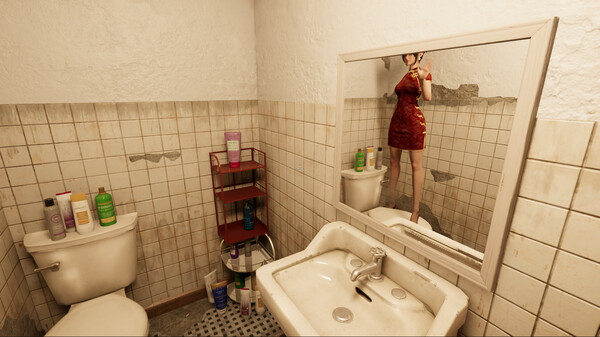
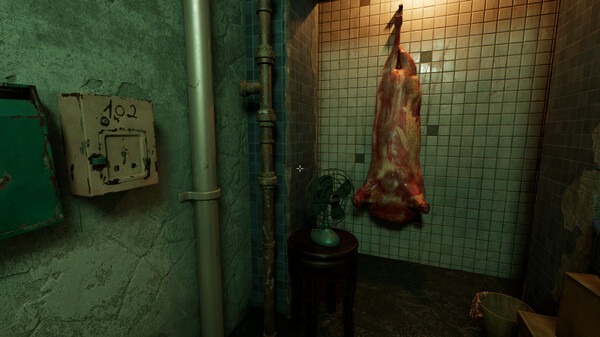
The gameplay revolves around acute observation and memory recall across three major chapter-based environments, including dark corridors, narrow alleys, and a looping house. As players venture through these settings, they must pay close attention to the smallest details to identify active anomalies. With more than 80 distinct supernatural occurrences hidden in inconspicuous corners, some anomalies are highly obvious while others require flawless recognition of missing or altered background items.
Successfully identifying every anomaly unlocks the game’s deepest secrets and leads to multiple different endings. The title emphasizes an immersive atmosphere, relying heavily on localized sound design and specific audio cues to deliver its tension, making headphones highly recommended. Ultimately, the experience challenges players to survive a series of increasingly difficult looping crises by mastering their surroundings.
Before downloading make sure that your PC meets minimum system requirements
Minimum System Requirements
- OS: Windows 7 / 10 /11
- Processor: Intel i3
- Memory: 8 GB RAM
- Graphics: NVIDIA GTX1050ti
Screenshots
How to Install Anomalies Detective?
- Download: Get the installer only from the official developer or a verified store.
- Run Setup: Double-click the official .exe file and follow the prompts.
- Default Path: Install to the recommended folder to ensure proper system permissions.
- Update: Run the game launcher to download any official security patches.
- Launch: Open the game via the official desktop shortcut.