Apunkagames Official Site – Games Download For PC Apunkagames Official Site — Discover detailed PC game guides, accurate system requirements, screenshots, and verified official download links for top Windows games.
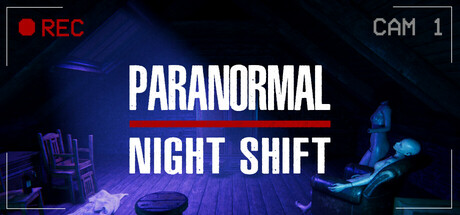
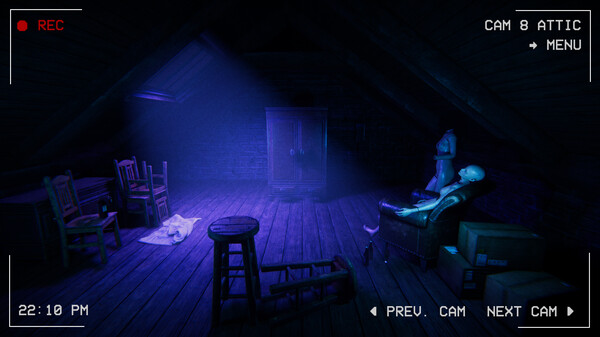
Paranormal Night Shift is an atmospheric observation and psychological horror game developed and published by Wheeler Whale Games. Set in a residential area of North London during the 1980s, the game places players in the role of a ghost hunter responding to a desperate call from a distressed family. Alongside a partner named Gary, players are tasked with monitoring security cameras to catch and report unusual occurrences within a highly haunted household.
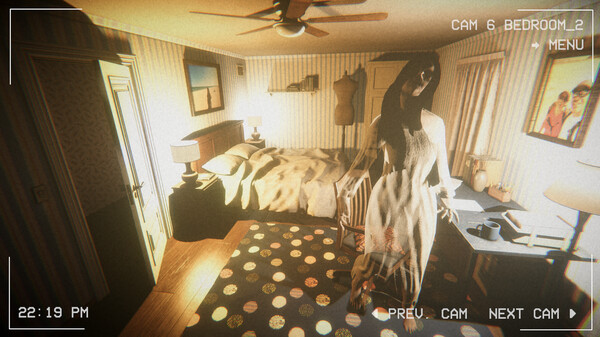
The core gameplay centers on a classic spot-the-difference loop where sharp memory and meticulous observation are essential. Players must flip between different camera feeds to identify structural and environmental anomalies, ranging from obvious supernatural occurrences to incredibly subtle object shifts. Failing to report these changes in time escalates the danger, and missing too many anomalies results in a fatal jumpscare that forces players to restart their shift.
Spanning three distinct in-game nights, the title offers roughly three to five hours of cumulative gameplay depending on the player’s personal perception skills. Each successfully completed shift slowly unravels an underlying paranormal mystery, keeping players engaged through environmental storytelling. The combination of retro 1980s aesthetics, realistic audio cues, and constant tension delivers a highly rewarding yet challenging puzzle-horror experience.
Before downloading make sure that your PC meets minimum system requirements
Minimum System Requirements
- OS: Windows 10/11
- Processor: Intel i3 6th generation or AMD equivalent
- Memory: 4 GB RAM
- Graphics: Nvidia GTX 760 / AMD R9 270X
- DirectX: Version 11
- Storage: 2200 MB available space
Screenshots
How to Install Paranormal Night Shift?
- Download: Get the installer only from the official developer or a verified store.
- Run Setup: Double-click the official .exe file and follow the prompts.
- Default Path: Install to the recommended folder to ensure proper system permissions.
- Update: Run the game launcher to download any official security patches.
- Launch: Open the game via the official desktop shortcut.