Apunkagames Official Site – Games Download For PC Apunkagames Official Site — Discover detailed PC game guides, accurate system requirements, screenshots, and verified official download links for top Windows games.
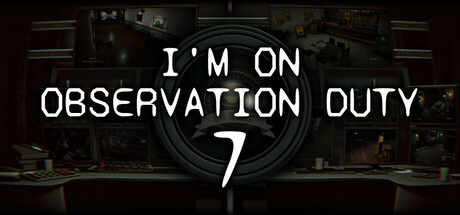
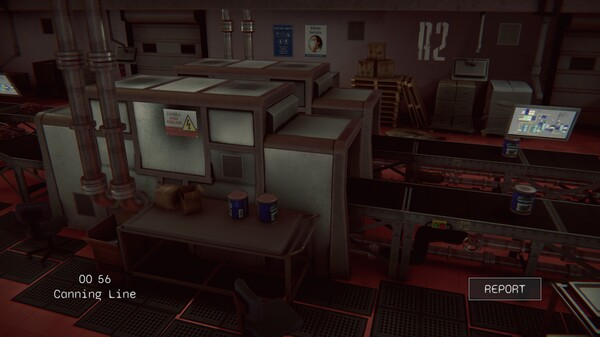
I’m on Observation Duty 7 is an eerie spot-the-difference psychological horror game developed by NotGames. Acting as a security monitor operative, your primary objective is to survive the night by closely monitoring live surveillance camera feeds across several haunting layouts. The premise is deceptively simple but incredibly tense: you must memorize every single detail of the empty rooms and corridors, scanning for sudden, supernatural changes known as anomalies while trying to keep your panic under control.
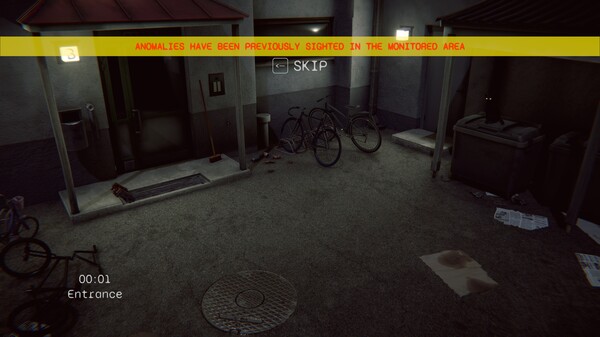
The core gameplay centers around finding these anomalies, which range from subtle object displacements and mysterious extra items to flickering lights, ghostly apparitions, and terrifying intruders. When you spot a discrepancy, you must immediately file an anomaly report by specifying the type of phenomenon and the room where it occurred. Time is your greatest enemy, as failing to report these supernatural changes quickly enough allows them to accumulate, ultimately leading to a fatal system failure and a game-over screen.
This seventh installment refines the series’ beloved formula with higher visual fidelity, immersive sound design, and an array of brand-new, uniquely unsettling map environments. It also introduces a mix of subtle quality-of-life improvements and sneaky new anomaly categories designed to trick veteran players who think they know what to expect. The result is a deeply atmospheric puzzle-horror experience that tests your short-term memory, rewards extreme attention to detail, and delivers plenty of genuine jump scares.
Before downloading make sure that your PC meets minimum system requirements
Minimum System Requirements
- OS: Windows 10 / 11
- Processor: Intel Core i5-4690 CPU 3.50GHz
- Memory: 4 GB RAM
- Graphics: GTX 970 or better
- Storage: 6 GB available space
Screenshots
How to Install I’m on Observation Duty 7?
- Download: Get the installer only from the official developer or a verified store.
- Run Setup: Double-click the official .exe file and follow the prompts.
- Default Path: Install to the recommended folder to ensure proper system permissions.
- Update: Run the game launcher to download any official security patches.
- Launch: Open the game via the official desktop shortcut.