Apunkagames Official Site – Games Download For PC Apunkagames Official Site — Discover detailed PC game guides, accurate system requirements, screenshots, and verified official download links for top Windows games.
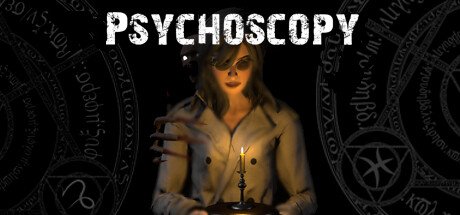
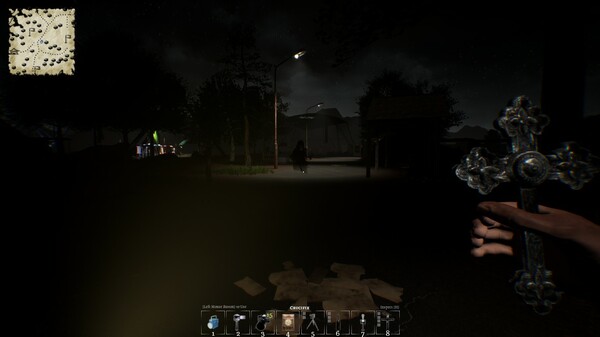
Psychoscopy is a cooperative psychological horror game developed and published by CrowNest Games. Released fully in May 2025 following a period in Early Access, the title supports up to five players in online co-op, throwing teams into large, expansive open-world environments to investigate intense paranormal phenomena.
The core objective centers around exploring haunted areas to gather evidence and record high-quality videos of supernatural entities. Players run an in-game website, appropriately named ‘Psychoscopy’, where they upload their findings to earn money. Accumulated funds allow teams to unlock unique characters and purchase advanced equipment. Investigations are highly dynamic, featuring over 20 distinct entities categorized as ghosts, spirits, daemons, and mythical beings. Multiple entities can haunt a single map simultaneously, introducing a chaotic, unpredictable atmosphere.
Success relies heavily on communication and strategy. Players must identify specific entity types to choose the correct defensive measures, as the wrong approach can provoke the entity further. Players can also communicate directly with the entities through special equipment or an Ouija board. Blending deduction mechanics with open-world exploration, the game offers a distinct take on the multiplayer ghost-hunting genre, shifting away from linear spaces into terrifyingly large hunting grounds.
Before downloading make sure that your PC meets minimum system requirements
Minimum System Requirements
- OS: Windows 10 / 11 64bit
- Processor: AMD Ryzen 5 1600 / Intel Core i5-4690K
- Memory: 8 GB RAM
- Graphics: NVIDIA GTX 1050ti / AMD Radeon R9 280X
- Storage: 15 GB available space
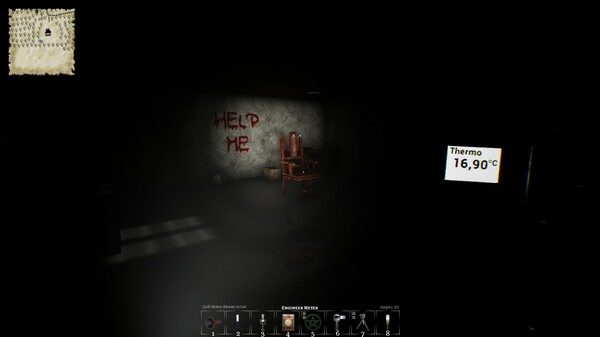
Screenshots
How to Install Psychoscopy?
- Download: Get the installer only from the official developer or a verified store.
- Run Setup: Double-click the official .exe file and follow the prompts.
- Default Path: Install to the recommended folder to ensure proper system permissions.
- Update: Run the game launcher to download any official security patches.
- Launch: Open the game via the official desktop shortcut.