Apunkagames Official Site – Games Download For PC Apunkagames Official Site — Discover detailed PC game guides, accurate system requirements, screenshots, and verified official download links for top Windows games.
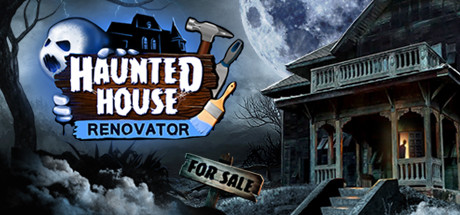
Haunted House Renovator places players in the role of a paranormal contractor tasked with restoring haunted properties to a liveable condition. The game combines renovation simulation mechanics with ghost-hunting elements, requiring you to investigate abandoned mansions, identify paranormal activity, and ultimately cleanse the environment. Unlike traditional house flippers, you must address the supernatural threats residing within each building.
The gameplay features a dual approach to handling hauntings: you can choose between “nice” or “mean” methods to banish or deal with entities, which influences your rewards and the game’s outcome. Beyond exorcisms and rituals, you are responsible for traditional renovation duties, including painting walls, replacing wallpaper, and furnishing interiors to satisfy your eccentric clients. The game offers various tools to aid in your work and allows for the adoption of specific entities to assist with future contracts.
While the core concept offers a unique blend of atmosphere and simulation, potential players should be aware that the community reports significant technical issues. Many users have highlighted frequent bugs, difficulties in completing rituals, and performance stability concerns. Given the current state of the software, prospective buyers may want to consider these factors regarding the overall polish and ongoing support before diving into this paranormal renovation experience.
Before downloading make sure that your PC meets minimum system requirements
Minimum System Requirements
- OS: Windows 10, 11 – 64bit
- Processor: Intel Core i5-10300H
- Memory: 8 GB RAM
- Graphics: GeForce 1650 4 GB VRAM
- DirectX: Version 12
- Storage: 8 GB available space
Screenshots
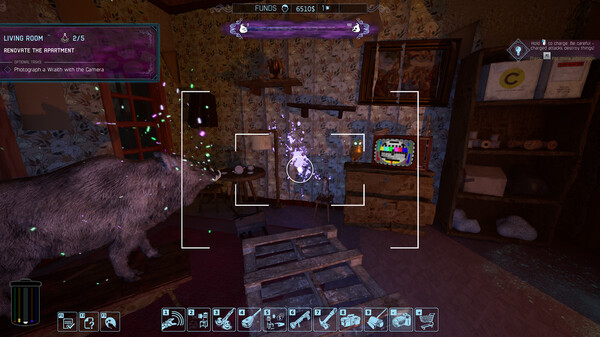
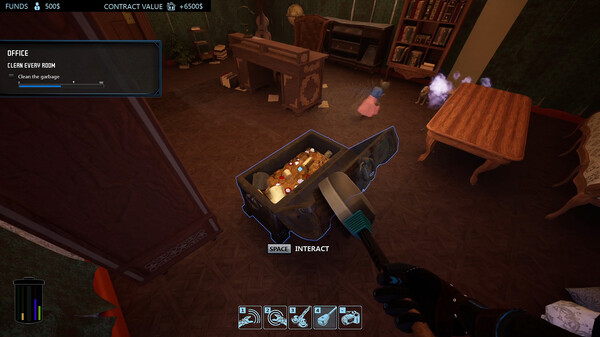
How to Install Haunted House Renovator?
- Download: Get the installer only from the official developer or a verified store.
- Run Setup: Double-click the official .exe file and follow the prompts.
- Default Path: Install to the recommended folder to ensure proper system permissions.
- Update: Run the game launcher to download any official security patches.
- Launch: Open the game via the official desktop shortcut.