Apunkagames Official Site – Games Download For PC Apunkagames Official Site — Discover detailed PC game guides, accurate system requirements, screenshots, and verified official download links for top Windows games.
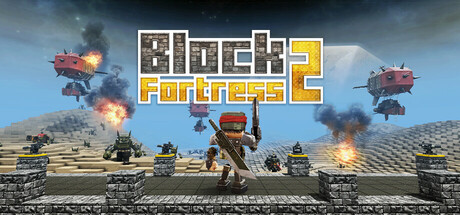
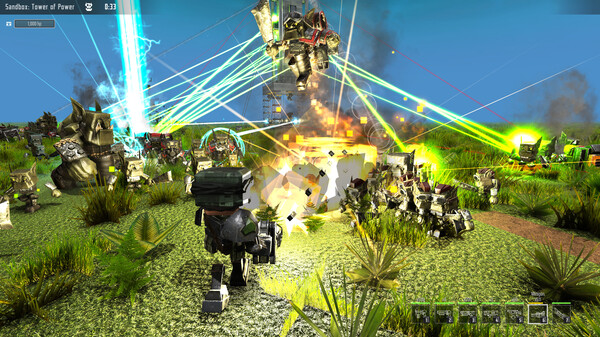
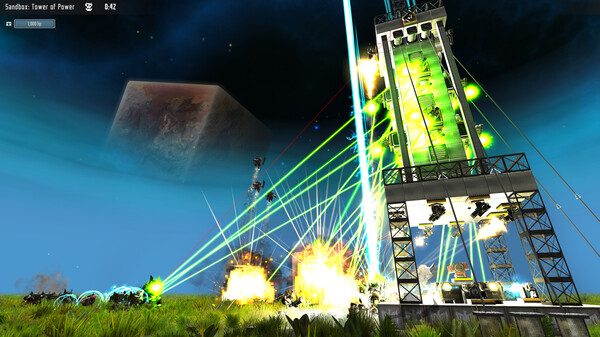
Block Fortress 2 is an action-packed strategy and tower defense game developed and published by Foursaken Media. Released onto Steam in April 2025, the title uniquely blends tactical block-building mechanics with both first-person and third-person shooter combat. Players are given total creative freedom to build impenetrable fortresses, towering castles, or sprawling bases, using a massive selection of more than 200 different block types including specialized walls, turrets, shield generators, and landmines.
The core gameplay loop centers on protecting your custom-built strongholds from relentless waves of alien enemies. To survive, players must actively join the fight by equipping their character with an extensive arsenal of heavy weaponry and gear, such as miniguns, plasma rifles, rocket launchers, and jet packs. You can also recruit and deploy an army of specialized AI troops to hold the line, fighting across ten different planet biomes that feature dynamic day-and-night cycles, harsh weather systems, and environmental hazards like acid and lava.
Beyond its main survival campaigns, the game offers creative modes where players can design a custom home base on their personal command ship. It features an extensive level editor that allows the community to build, upload, and share complex custom scenarios or obstacle courses. With very positive reviews from its community, the game continues to grow with consistent updates addressing player feedback.
Before downloading make sure that your PC meets minimum system requirements
Minimum System Requirements
- OS: Windows 10+
- Processor: 2GHz or faster processor
- Memory: 2 GB RAM
- Graphics: 1 GB & AMD 5570 or nVidia 450
- Storage: 2 GB available space
Screenshots
How to Install Block Fortress 2?
- Download: Get the installer only from the official developer or a verified store.
- Run Setup: Double-click the official .exe file and follow the prompts.
- Default Path: Install to the recommended folder to ensure proper system permissions.
- Update: Run the game launcher to download any official security patches.
- Launch: Open the game via the official desktop shortcut.