Apunkagames Official Site – Games Download For PC Apunkagames Official Site — Discover detailed PC game guides, accurate system requirements, screenshots, and verified official download links for top Windows games.

Into Death and Beyond is a gripping indie first-person survival horror game released in March 2025. Developed and published by Dolores Entertainment, the dark sci-fi narrative strands players on the bleak, mysterious, and hostile planet XB32-ENT. Stepping into the heavy boots of professional bounty hunter Mark Helkins, your primary mission is to track down and capture a highly dangerous rogue alien mutation that escaped following a catastrophic genetic experiment conducted by the corrupt GenHaptics Corporation.
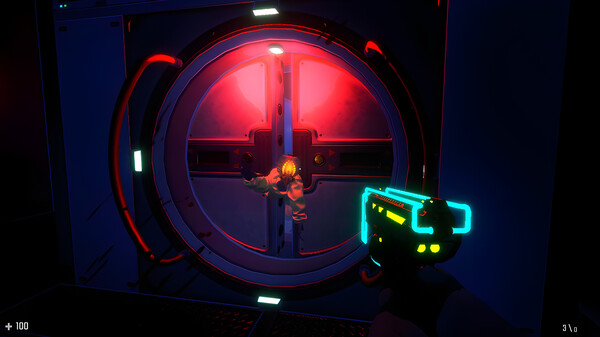
For PC players, the gameplay drops you into a tense, atmospheric, and semi-open survival sandbox. The core loop emphasizes slow, methodical exploration across three interconnected, claustrophobic research laboratories blanketed in a dense, oppressive fog. Resources like health kits and plasma ammunition are incredibly scarce, forcing you to make every low-power shot count by precisely targeting enemy weak points. Along the way, you must scavenge for logs, solve environmental puzzles, and discover components to assemble a weapon capable of taking down the ultimate predator tracking your movements.
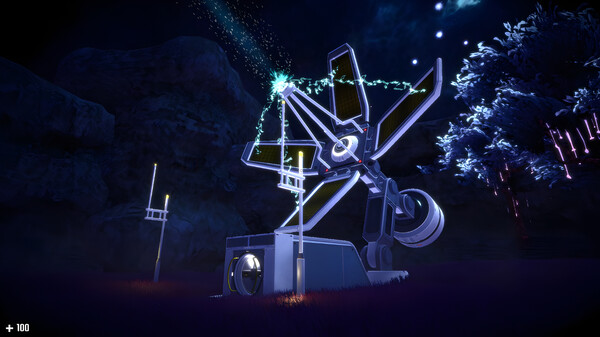
Visually, the game utilizes high-resolution graphics and cinematic presentation to build a lingering sense of cosmic dread. The lightweight digital installation requires only 4 GB of available storage space on your hard drive or solid-state drive (SSD).
Before downloading make sure that your PC meets minimum system requirements
Minimum System Requirements
- OS: Windows 10/11 64-bit
- Processor: AMD Phenom II X4 965, 3.40 GHz
- Memory: 6 GB RAM MB RAM
- Graphics: AMD Radeon HD 7730
- DirectX: Version 11
- Storage: 4 GB available space
Screenshots
How to Install Into Death and Beyond?
- Download: Get the installer only from the official developer or a verified store.
- Run Setup: Double-click the official .exe file and follow the prompts.
- Default Path: Install to the recommended folder to ensure proper system permissions.
- Update: Run the game launcher to download any official security patches.
- Launch: Open the game via the official desktop shortcut.